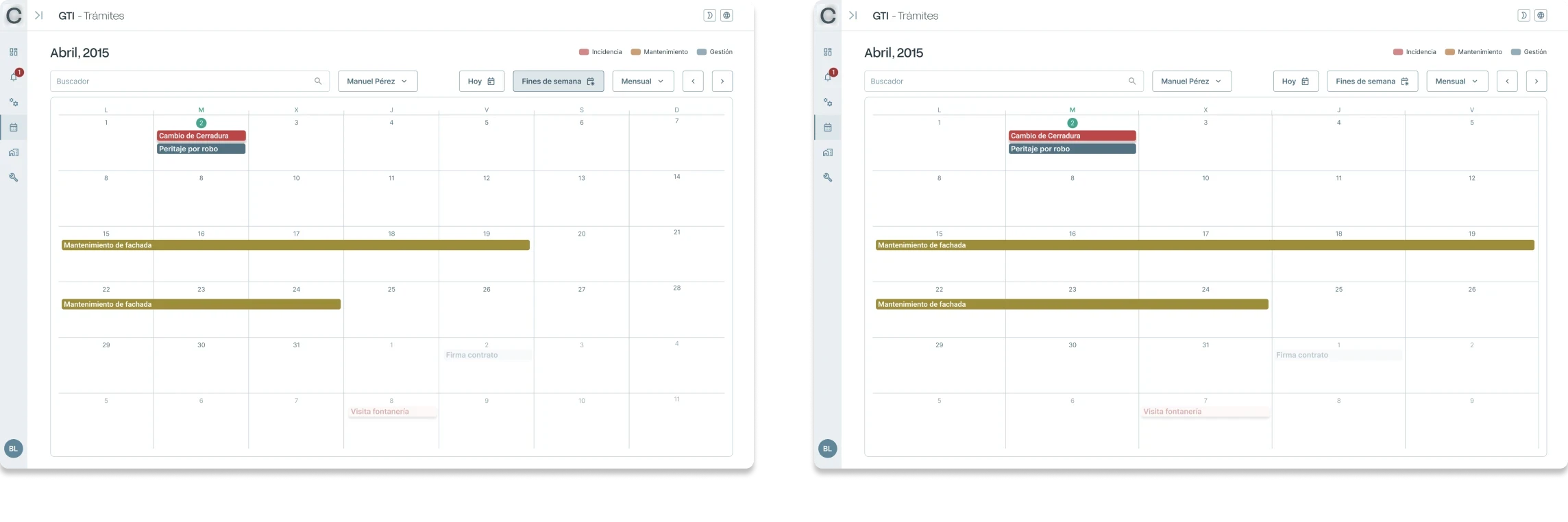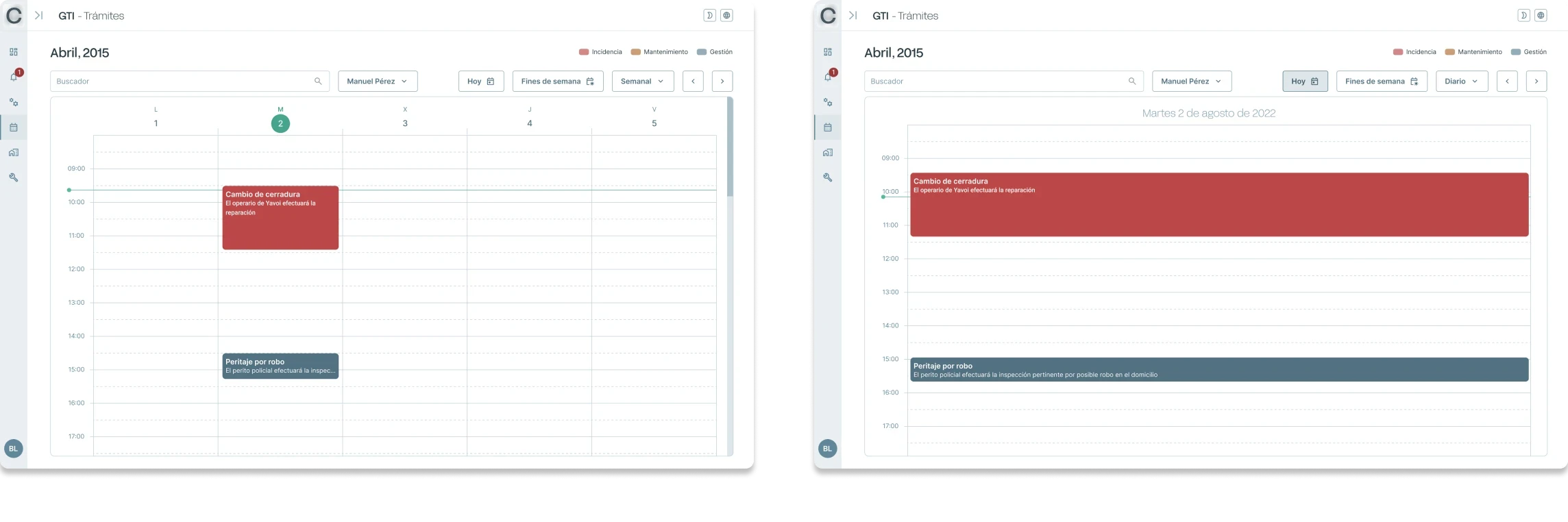

Client
Real estate agency based in Barcelona - Due to confidentiality obligations, I cannot identify the client.
Team
1 project manager – 1 UX/UI designer – 2 frontend developers – 2 backend developers – 1 data engineer
Applied knowledge
User Flows · Information Architecture · Design System · WCAG 2.2 Accessibility · Responsive Design · Low- and High-Fidelity Wireframes · Prototyping
Formats
From the outset of the project, it was established that users would interact via a mobile app to report incidents or request services. The app would use AI to filter incoming requests, removing duplicates or those already being handled, while Althena’s professionals would manage them through a web application.

Challenge & resolution
The main challenge was to translate long, complex, traditionally manual processes into a digital environment, with multiple actors involved.
First, a flowchart of the processes (incidents, management tasks, and projects) had to be defined in order to establish the architecture of the new digital environment, as well as the corresponding user flows. This task was only made possible through agile, ongoing communication with the client.
Below: a flowchart of an incident from its creation to its resolution. As can be seen, it is a complex process.

Start / End
Owner
Start of the process
Once the architecture and user flows had been established, an initial low-fidelity version of the applications was designed in the form of wireframes.


Design Decisions
The design system was grounded in the client’s brand identity. We retained the existing typefaces and expanded the colour palette to support flexible component design and ensure accessibility through proper contrast ratios.

To preserve the brand’s refined, elegant tone, I followed a minimal approach in component design. The established contrast ranges helped avoid a flat overall visual hierarchy and ensure a high level of accessibility.


Prototyping
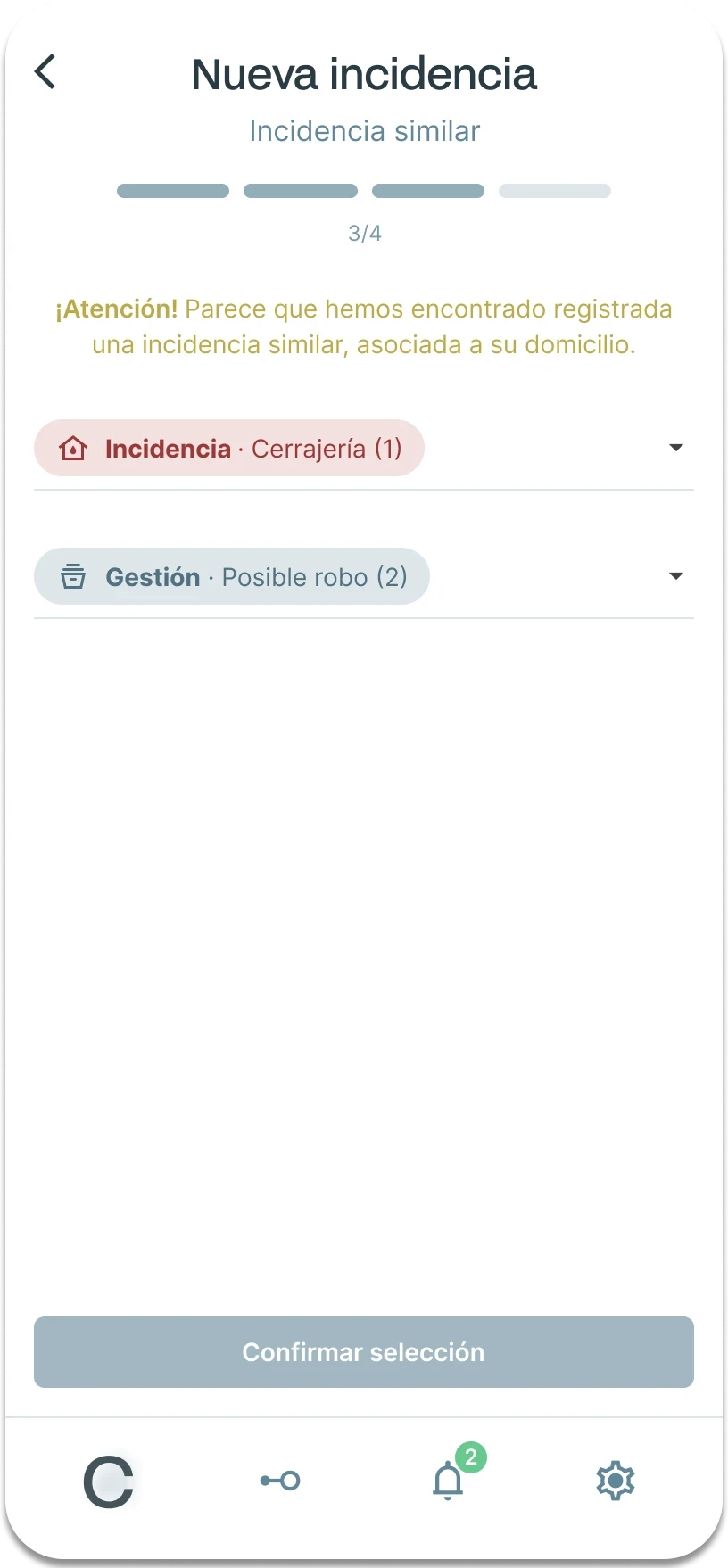
Building on the initial high-fidelity wireframes, I created a prototype of the “new issue” section in Figma. User testing revealed accessibility and layout issues, which were resolved through iterative design improvements.
Usability testing


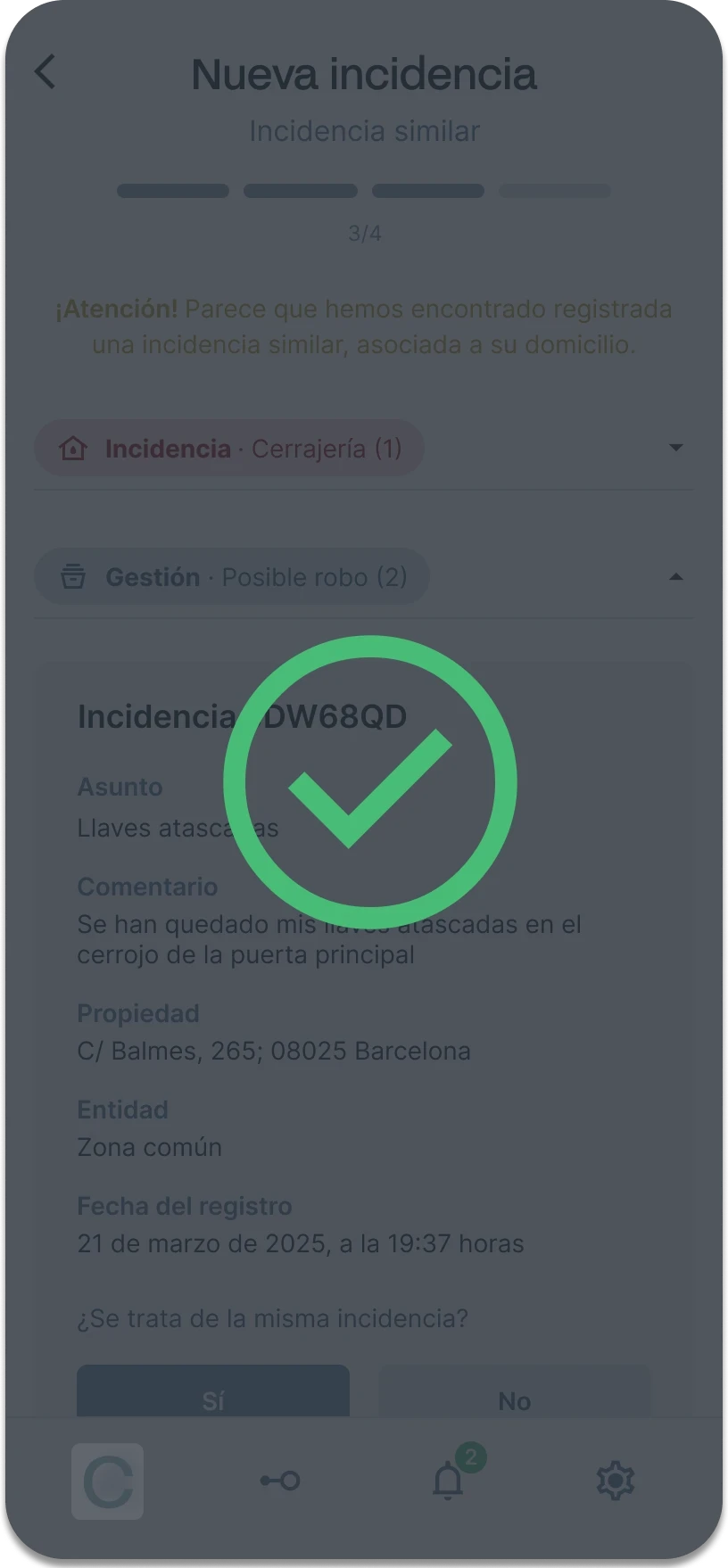
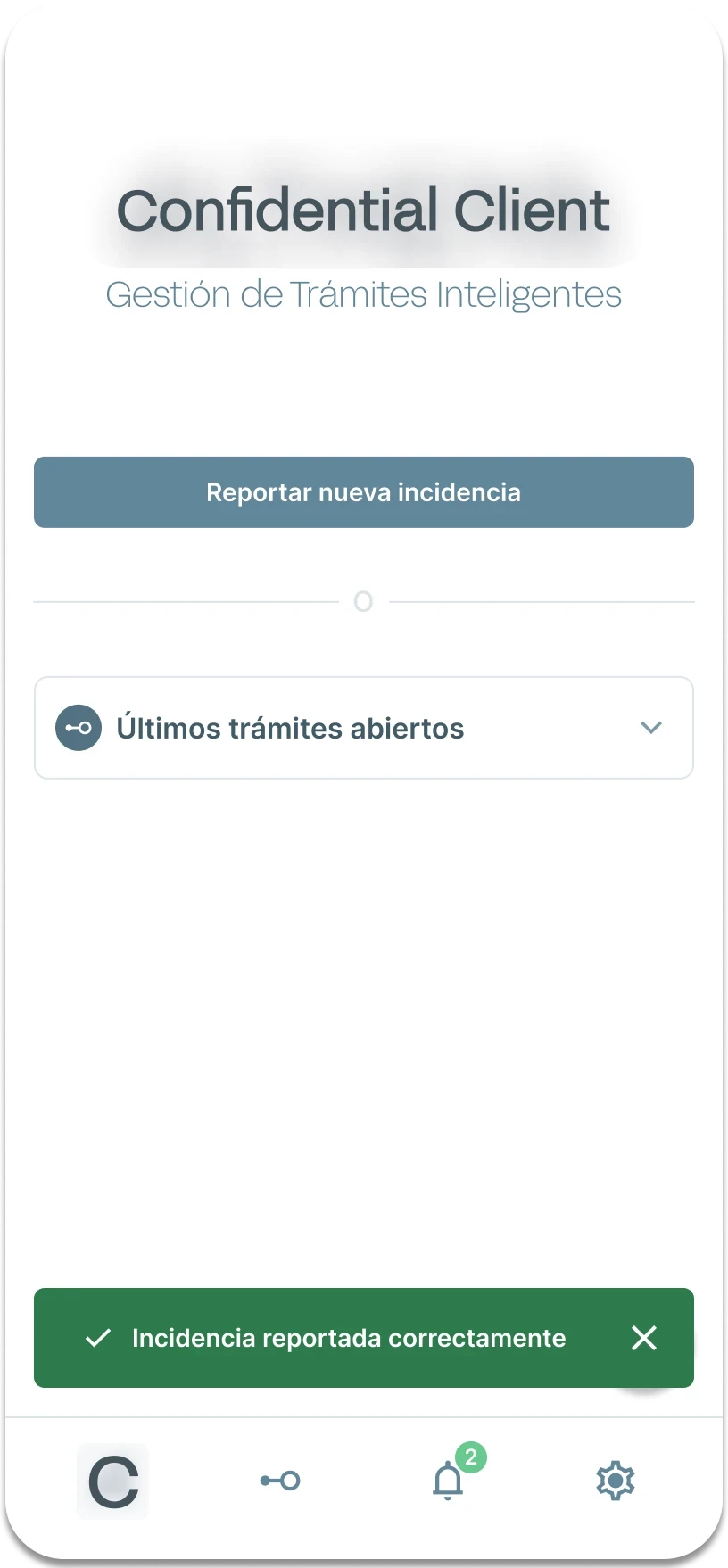
The form’s abrupt ending left some users unsure whether the incident had been submitted. ➜ To provide clearer confirmation, a subtle loading animation transforms the client's logo into a large green check icon, followed by a toast notification on the home screen confirming successful submission. To make navigation more intuitive, an “Other Actions” CTA button was introduced. This button opens a “Contextual Action Menu” with options for how to proceed.

Final outcome